01
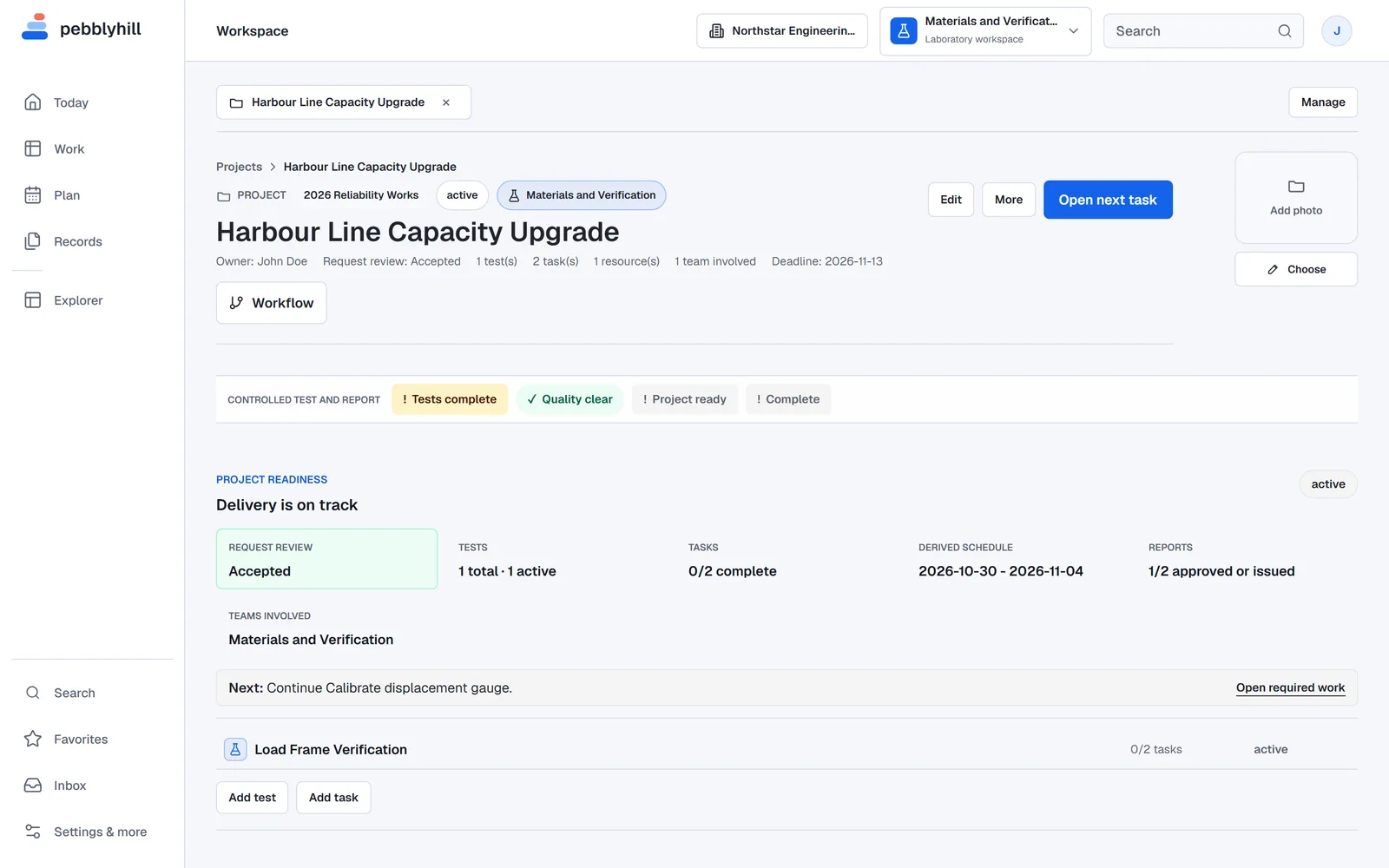
Create and organize
Start with the Project, then shape the work.
Create one connected Project, organize its Tests and Tasks, and keep ownership, dates, requirements, and review state in view.

TAKE A LOOK INSIDE
Explore laboratory management, sample tracking and project planning through real product screens, with fictional example data.
Start the tour01
Create and organize
Create one connected Project, organize its Tests and Tasks, and keep ownership, dates, requirements, and review state in view.
02
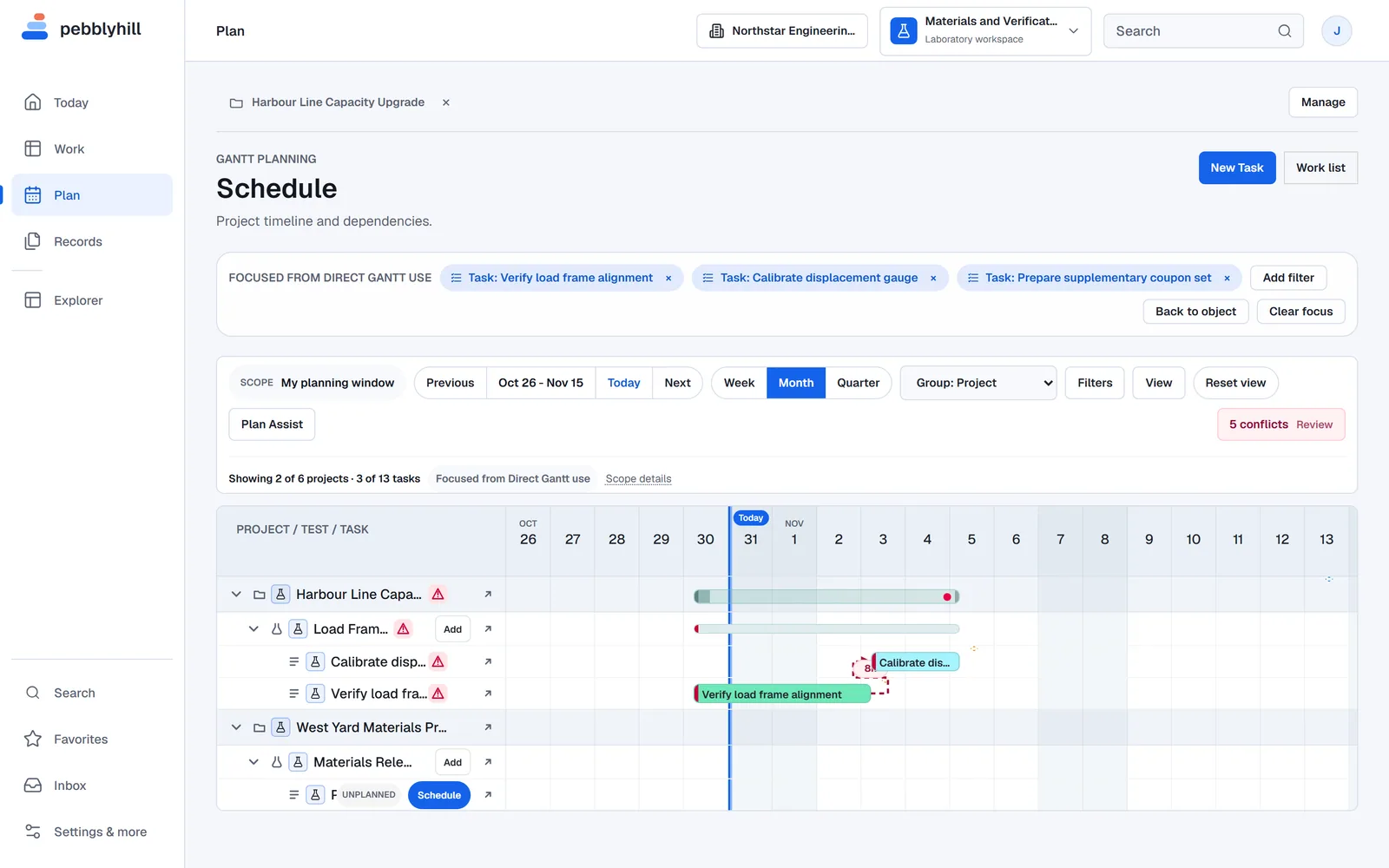
Plan
Use a shared Gantt timeline to plan Tasks, inspect conflicts, connect dependencies, and keep unplanned work inside its Project and Test context.
03
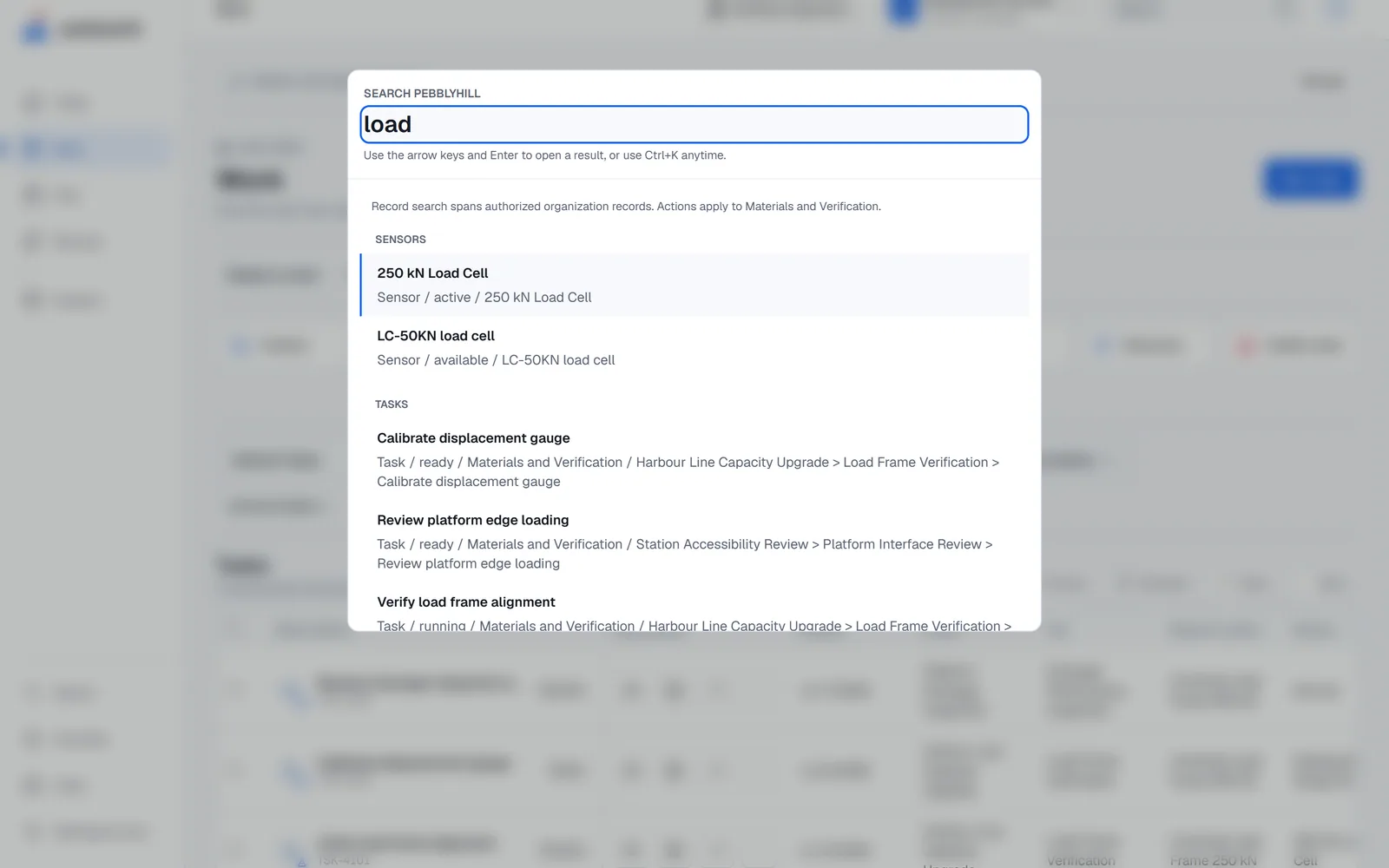
Find
Search by name or identifier, open recent work, and use Explorer when the hierarchy matters. The same canonical record opens from every surface.
04
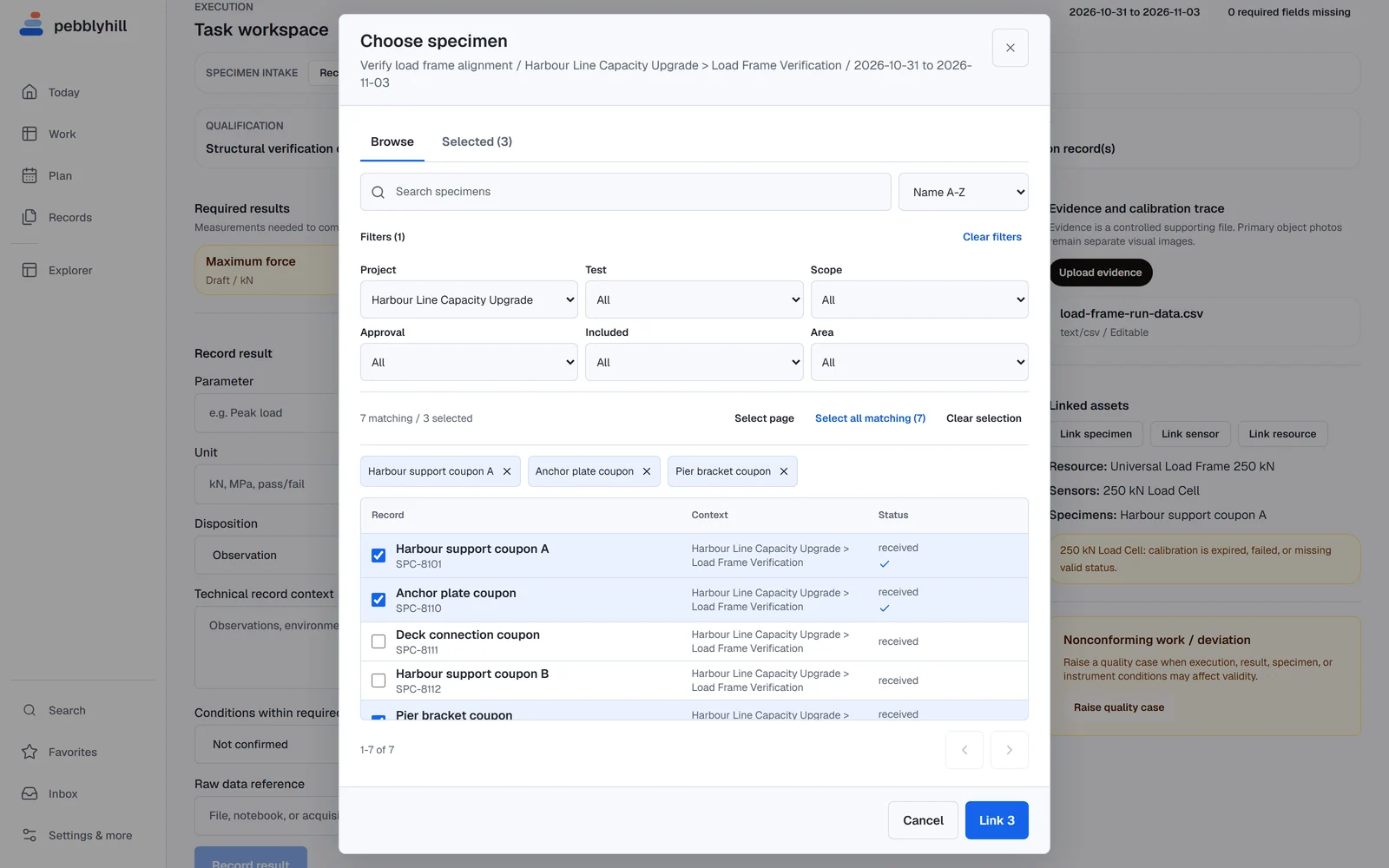
Link records
Search by name or reference, narrow the list with filters, and select records from different searches without losing your choices. Review the selection before linking it to your work.
05
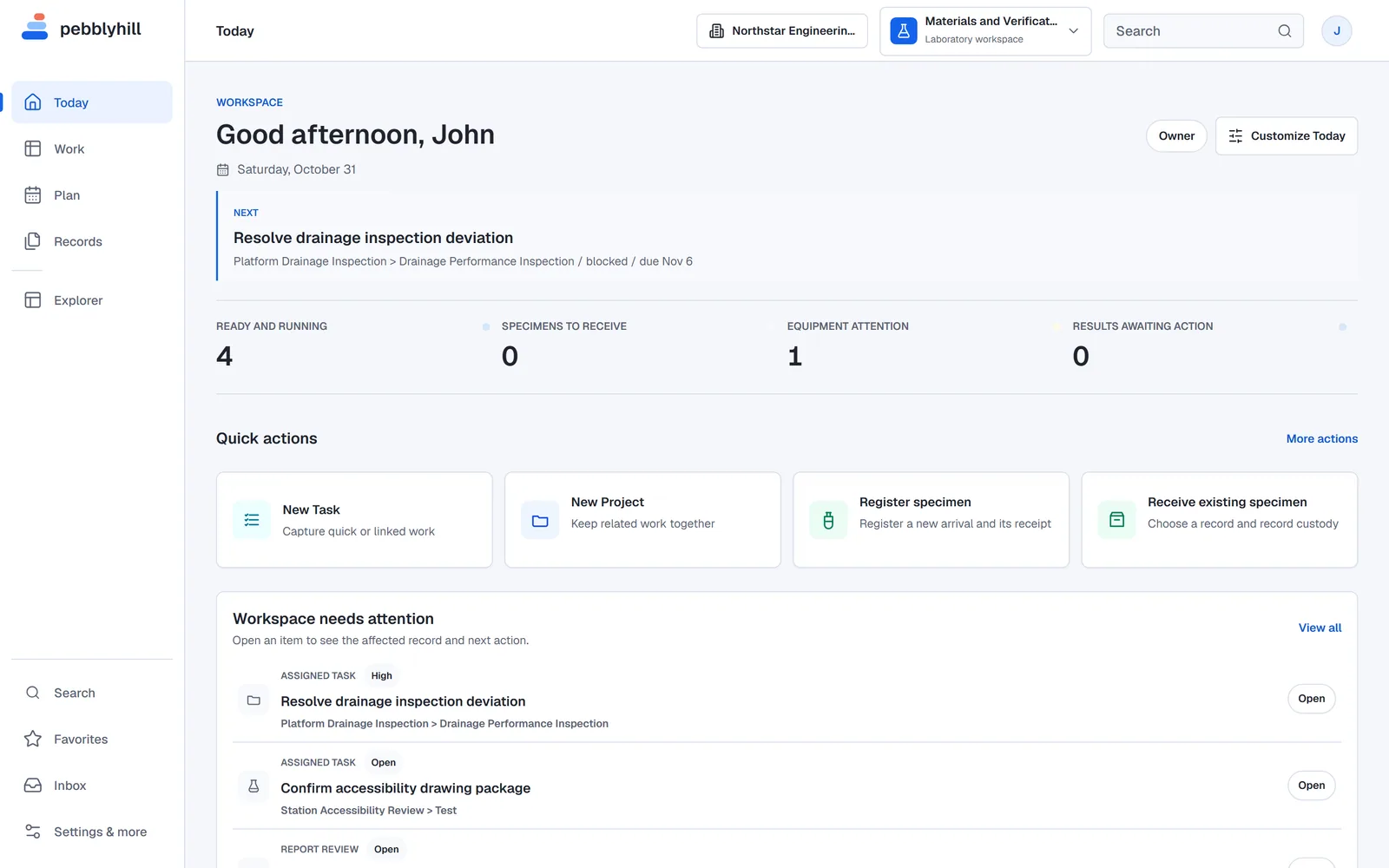
Today and Work
Today surfaces assigned work, deadlines, blockers, reviews, and practical quick actions. Work provides a denser register when the team needs to compare records.
06
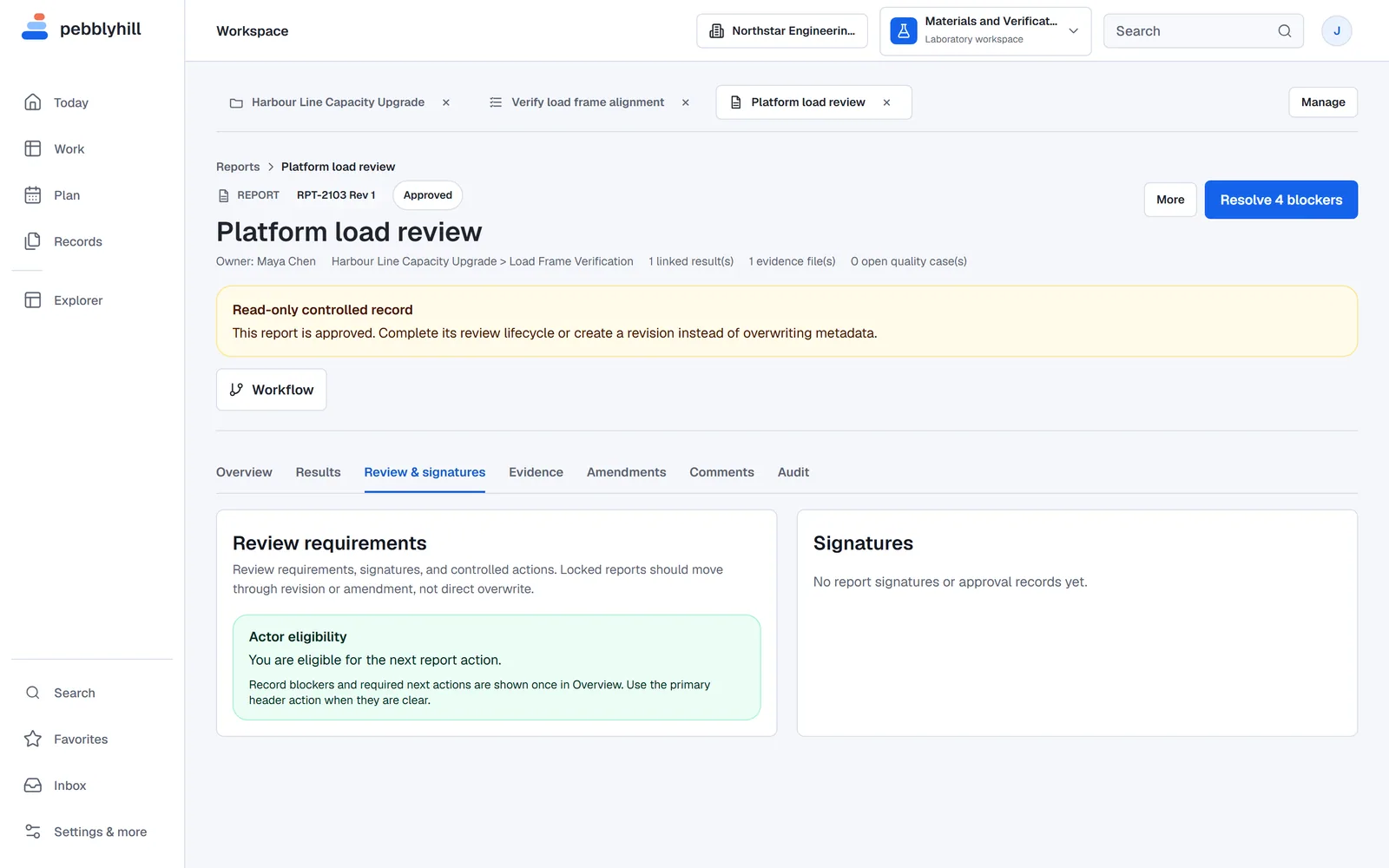
Review and issue
Review result context, see authoritative blockers, collect required approval and signatures, and issue without overwriting the frozen record.
07
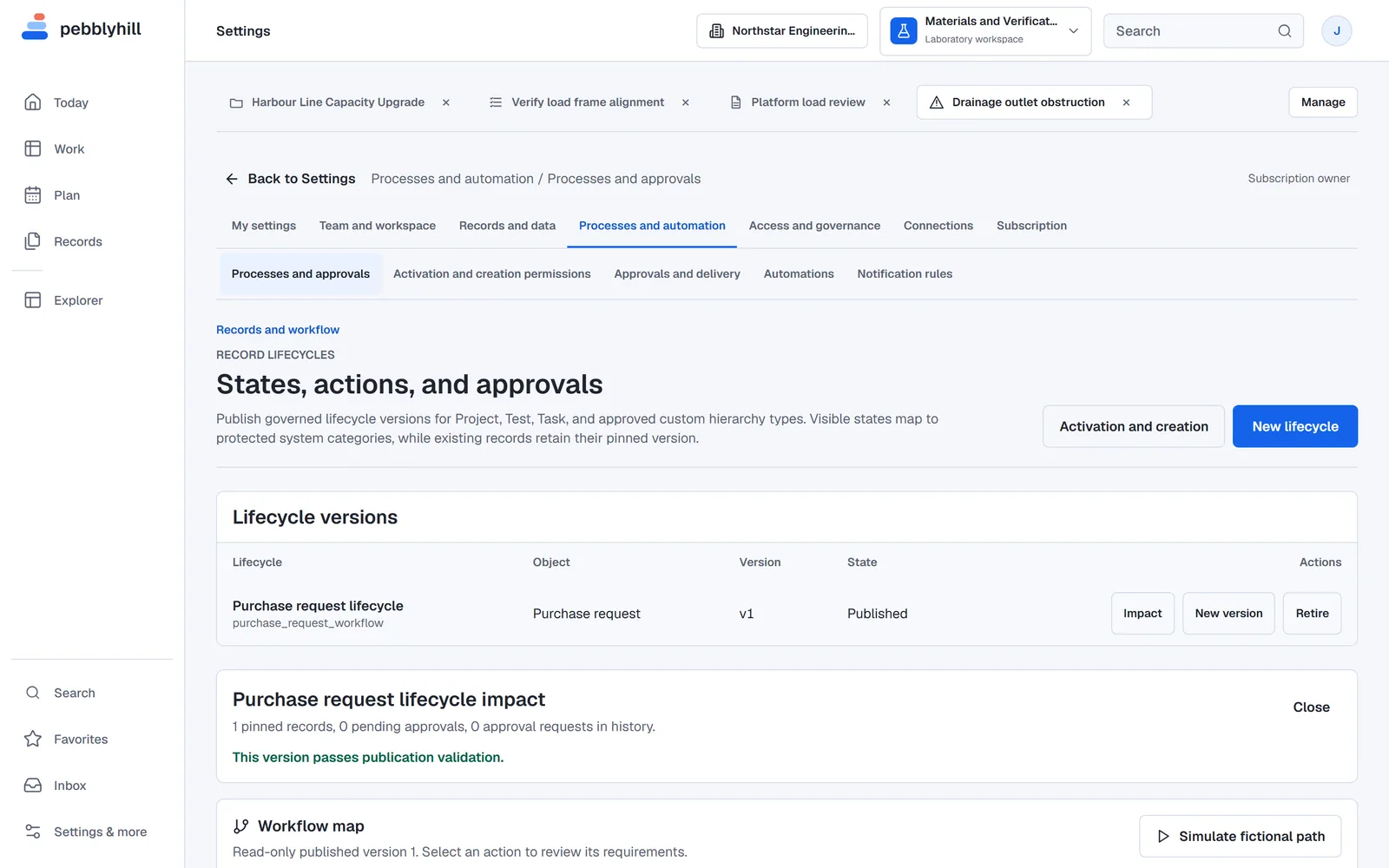
Configure
When advanced configuration access is enabled for your company, authorized administrators can add record types, links, states and approvals. It is optional, not a prerequisite for daily work.
Backups and data export
Projects, laboratory records, custom fields and original attachments belong with your business. Download a copy and keep it outside Pebblyhill.
Explore company backupsCompany Owners and Administrators can set daily, weekly or monthly backups and choose how many copies to keep. Scheduling starts off until you enable it.
Download a ZIP with structured JSON records and original files. Add CSV copies when you want to work with the data in a spreadsheet.
Backups cover company business records, including private Teams. Direct messages, personal notes, passwords and connection secrets are excluded.
Usage, file-size and retention limits apply. These are business-data exports, not a one-click live restore or a guarantee of zero data loss.
Create a Project, plan a Task, and follow the record through the workflow your team actually uses.